Embrace the Season: Designing with Spring Wedding Clipart
There’s a unique energy that comes with spring—the feeling of renewal, soft light, and delicate blooms finally making their appearance. When you are working on a project for a wedding or a romantic brand, capturing that specific aesthetic is crucial. This is where high-quality Spring Wedding Clipart becomes an indispensable tool in your design arsenal. Unlike generic stock photos, well-crafted clipart provides the flexibility to build custom scenes, layer elements, and create a cohesive visual narrative that feels entirely your own.
I’ve spent years navigating the difference between assets that look good in a preview and assets that actually work in production. The difference usually lies in the file formats and the technical preparation. A truly professional set of Spring Wedding Clipart isn't just about pretty pictures; it’s about utility. You need assets that can scale without pixelating for a large banner but also perform crisply on a small favor tag. This collection is designed with that versatility in mind, offering a toolkit that bridges the gap between digital design and physical manufacturing.
Technical Versatility: Beyond the PNG
One of the most common frustrations I see with designers and crafters is the "one-size-fits-all" file format. You download a pack, and you only get a rasterized PNG. While PNGs are excellent for their transparent backgrounds and ease of use in software like Canva or Photoshop, they have limitations. This collection of Spring Wedding Clipart addresses that by including Vector EPS (Illustrator 9 compatible), Vector SVG, and high-resolution PNGs.
Understanding how to use these formats is key to unlocking their value. Here is a breakdown of how to approach these assets:
- Vector SVG: These are fantastic for web design and simple digital displays. However, a technical note is essential here: in this specific set, the colors are not separated. This means they are great for "print-to-cut" scenarios where you want a full-color image, but they are not suitable for vinyl cutting machines that require color separation layers.
- Vector EPS: If you are working in Adobe Illustrator or CorelDRAW, this is your gold standard. The Illustrator 9 compatibility ensures that even older versions of the software can open the files without crashing. This format allows you to change colors, edit shapes, and scale the artwork infinitely.
- High-Res PNG: At 300dpi with transparent backgrounds, these are perfect for digital scrapbooking, invitations, and layering in Photoshop. With an approximate size of 7+ inches, they are large enough for print quality without needing to upscale.
Real-World Applications for Creators and Businesses
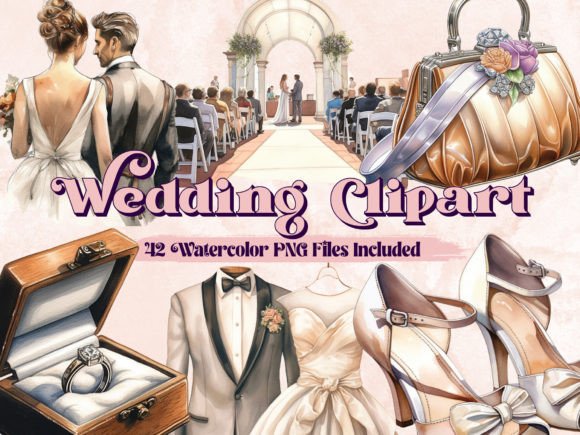
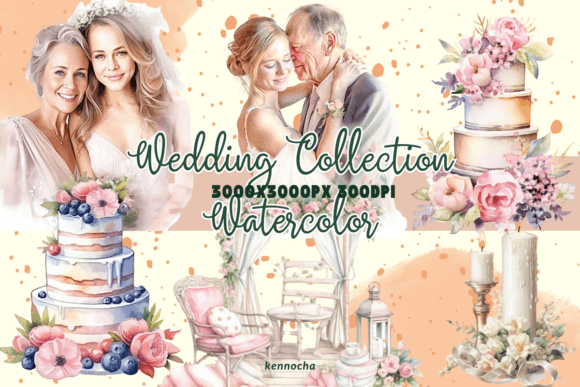
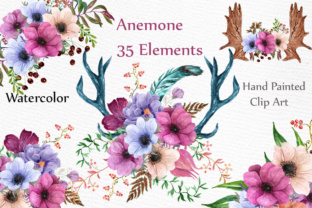
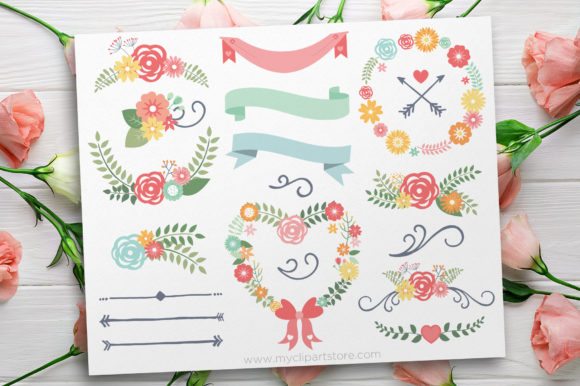
When we talk about Spring Wedding Clipart, we are looking at a very specific visual language: think soft florals, romantic ribbons, pastel palettes, and delicate botanical elements. This style is not just for wedding invitations anymore. I have seen these assets used effectively across a wide range of commercial and personal projects.
For the Entrepreneur and Brand Strategist
If you are building a brand identity for a boutique, a wedding planner, or a lifestyle blogger, consistency is your currency. Using Spring Wedding Clipart allows you to create a library of visual elements that can be repeated across different mediums. You might use a floral cluster as a watermark on your photos, a border for your email newsletters, or a recurring motif on your packaging design. Because the style is consistent, it reinforces your brand recognition every time a client interacts with your content.
For the Crafter and Hobbyist
The physical application of these assets is where the magic happens. Imagine creating custom table numbers for a reception, or designing "Will You Be My Bridesmaid" cards. The PNG files are ideal for printing and hand-cutting, while the SVG capabilities (again, keeping in mind the color separation limitations) work well for print-then-cut stickers. The ability to resize these elements to fit a small gift tag or a large welcome sign gives you total creative control over the event's aesthetic.
Design Principles: Integrating Clipart into Modern Layouts
Having the assets is one thing; using them effectively is another. A common mistake in design assets usage is over-cluttering. Just because you have a beautiful collection of flowers doesn't mean you need to use all of them at once.
Visual Hierarchy and Balance
When designing a wedding invitation or a social media graphic, your text is the star. The clipart should support the message, not compete with it. I recommend using the floral elements to frame your typography. For example, place a larger cluster in the bottom left and a smaller accent in the top right to create a diagonal flow that guides the eye naturally across the page. This creates a sense of balance and professionalism that elevates the entire design.
Font Pairing Strategy
The personality of the Spring Wedding Clipart dictates the typography you should pair with it. Because these elements are likely romantic and organic, they pair best with script fonts or serif fonts that have a classic feel. Avoid heavy, blocky sans-serif fonts, which can clash with the delicate nature of spring florals. However, a modern, light sans-serif can work for body text if the headings are in a more decorative style. The goal is a font pairing that feels harmonious, where the art and the type speak the same language.
Practical Checklist for Selection and Usage
Before you finalize your design or print a large batch of materials, run through this practical checklist to ensure you are getting the most out of your Spring Wedding Clipart:
- Evaluate the Color Palette: Do the default colors of the clipart match your brand or event colors? If not, ensure you are using the EPS files so you can adjust the hue and saturation to match your specific brand identity.
- Check the Edges: Open the PNGs and zoom in. Are the edges clean? A transparent background is useless if there is a white "halo" around the object, which looks unprofessional on colored paper.
- Test for Scalability: If you are making a sign, print a small test section. Does the detail get lost when large? If so, switch to the vector formats.
- Review Licensing: Ensure the license covers your specific use case. Most premium font and clipart licenses differentiate between personal use and commercial use (like selling the invitations themselves).
Ultimately, Spring Wedding Clipart is more than just decoration; it is a functional design tool. Whether you are a professional graphic designer working on editorial design, a small business owner creating social media graphics, or a crafter making a personalized gift, these assets provide the foundation for work that feels polished, seasonal, and emotionally resonant. By understanding the file formats and applying solid design principles, you can transform these simple elements into sophisticated visual communications.